
What is DPOR
The Digital Partner of Record (DPOR) is a Microsoft designation that links a partner organisation—such as Swift Analytics—to a customer’s Microsoft cloud subscription. It formally recognises the partner’s role in supporting the customer with the design, deployment, management, or optimisation of their cloud-based solutions.
When to assign us as DPOR
DPOR should be assigned at the outset of our engagement with your organisation. This enables Swift Analytics to report to Microsoft that we are working with you.
Does DPOR provide access to Customer Data?
No. Assigning DPOR does not grant Swift Analytics access to your tenant, user accounts, or any customer data. It is purely an administrative association. It does not affect your security or privacy settings.
Is there a cost to assigning DPOR?
There is no cost involved. Assigning DPOR is a recognition of the collaborative relationship between your organisation and Swift Analytics. It also helps Microsoft better understand the ecosystem of partners supporting its customers.
DPOR for Fabric or Power BI
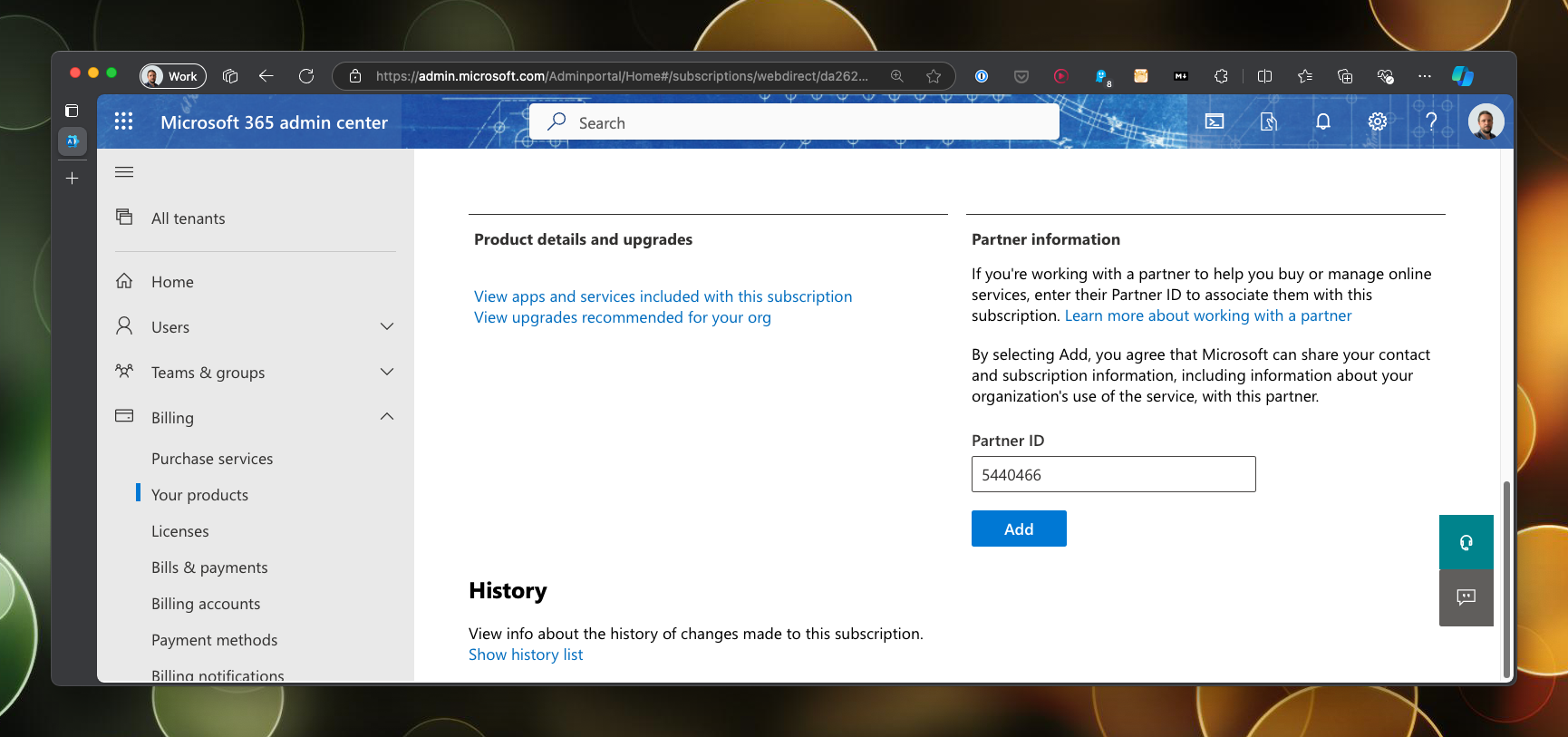
- Log into the Microsoft 365 admin center.
- Expand Billing in the options blade on the left.
- Click on Your products.
- Click on the product that you want to assign Swift Analytics as DPOR.
- Find the Partner information section.
- Enter 5440466 in the Partner ID field and press Add.
DPOR for Azure
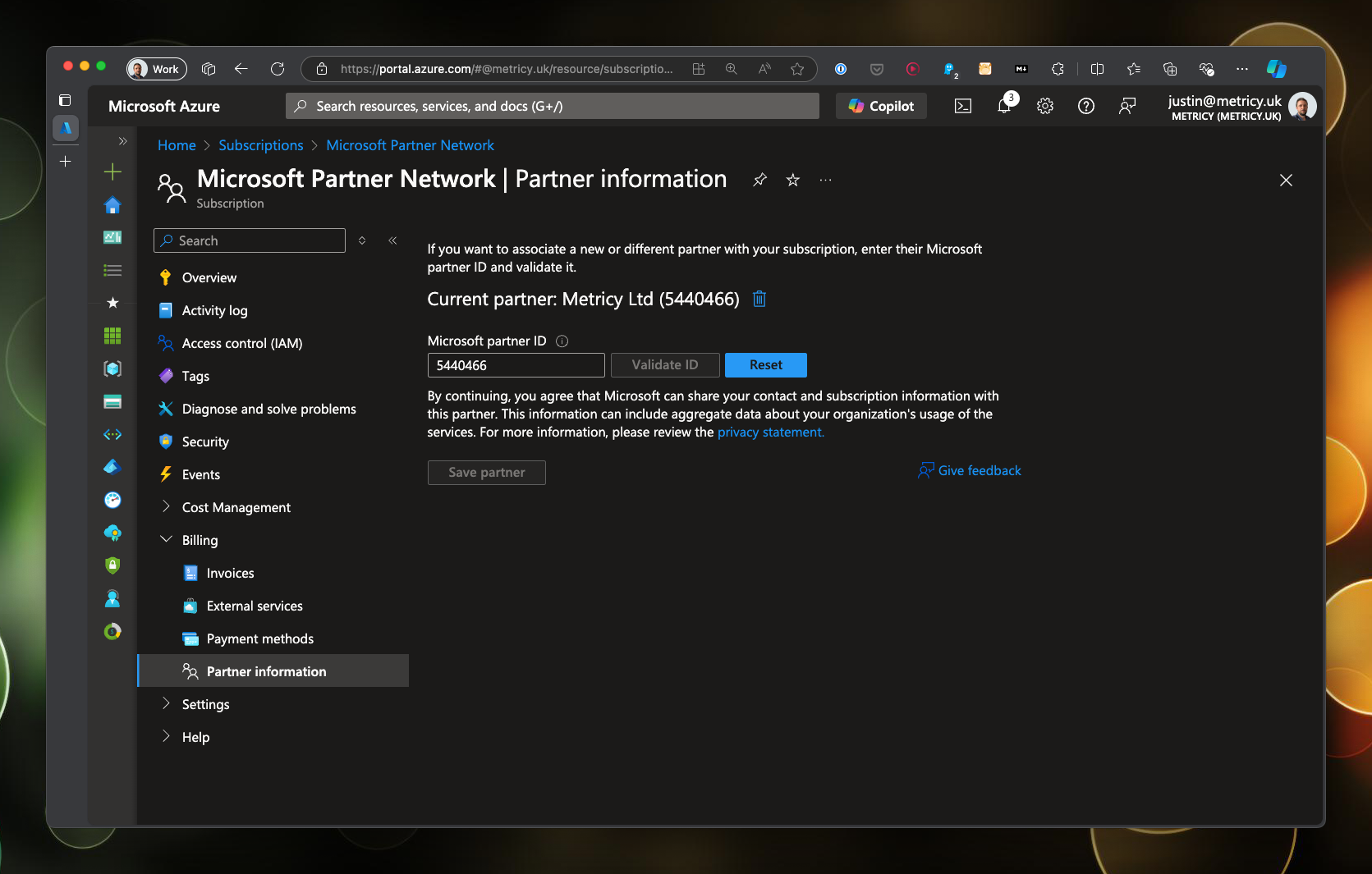
- Log into the Azure portal.
- Search for subscriptions using the search bar.
- Click on the subscription you want to assign Swift Analytics as DPOR.
- Expand billing in the options blade on the left.
- Click on the Partner information option.
- Enter 5440466 in the Partner ID field and press Validate ID.
- Click Save partner.
- Repeat for any other subscriptions we are supporting you with.
Further reading
You can read more about DPOR at Microsoft Learn.